Plaza-95PRO
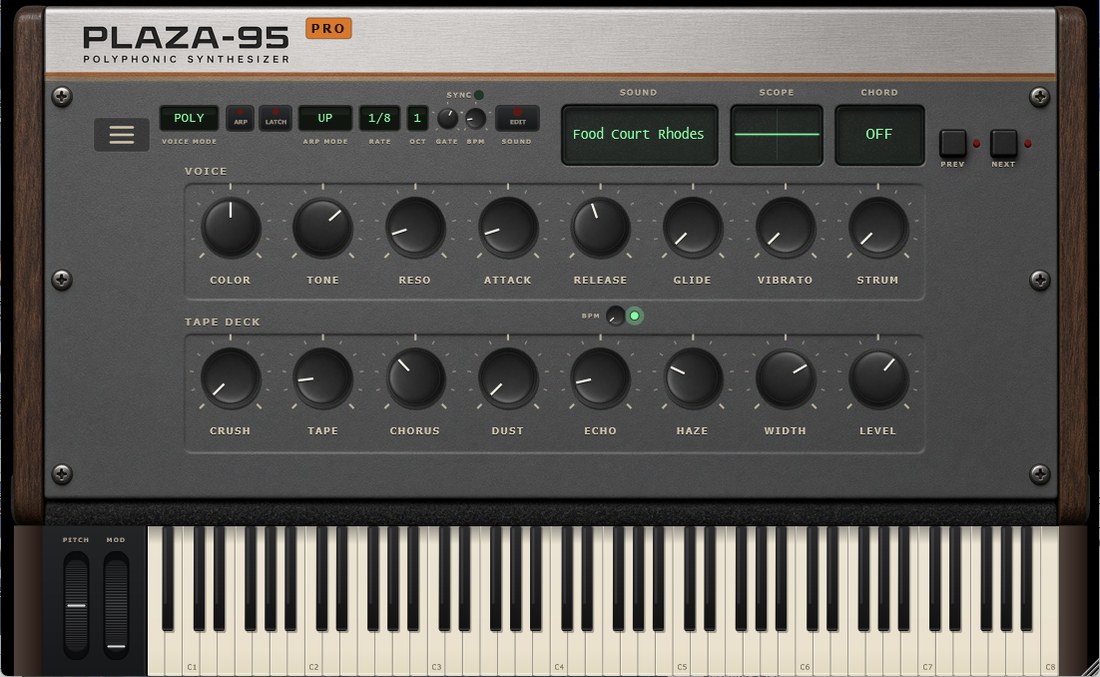
The warm vintage synth, with the sound editor
How to install: there is no installer to run — close your DAW, copy the plug-in folder into C:\Program Files\Common Files\VST3 and open it again. What do I get?
What it does
The EDIT button
Press it and the performance knobs give way to the recipe of the sound you are on. Same panel, same place — the controls swap over instead of opening a second window that covers the keyboard.
Four oscillators, in the open
For each of the four slots: waveform, frequency ratio, detune, level, pulse width, and the three FM controls — ratio, index and decay. Underneath them the voice itself: decay, sustain, and the filter blip that gives an attack its bite.
The fifty-seven are a starting point
Every sound in the machine is a recipe like the one you are editing, so you never start from silence. Load Food Court Rhodes, move four numbers, and it is yours.
Your sounds stay yours
What you build is saved with your presets, in your own folder, and travels inside the project like any other setting.
The rest is Plaza-95
The same eight families, the same chord memory, the same tape deck, the same arpeggiator — now with SYNC and a BPM of its own when you want it off the host's grid.
Watch it in action
Plaza-95PRO is the same instrument as the standard version, with one difference that happens to be a big one: the sounds open up.
In the base version a sound is a closed recipe — four oscillators with their waveform, their ratio and their FM, decided here. In PRO that recipe becomes the panel: you can see it, move it, and hear the sound change under your fingers as you do.
It is not a modular synth and does not want to be one. The engine is still the engine, with its four slots and its limits: you edit a recipe, you do not build a machine from nothing. It is the difference between changing the ingredients and rebuilding the kitchen.
If you have no need to open them, Plaza-95 makes exactly the same sound.
Get Plaza-95PRO
Instant download after purchase.
Optional check — SHA-256 of the file: e14bd69043e150a5b2832faa844c26aefa16a042e2e1b09d4972b94722f72a3c
Before you buy
What you get, and how to install it.
The ZIP holds the plug-in folder, the standalone app and three text files.
To install it:
- Close your DAW.
- Copy the folder
Plaza-95PRO.vst3intoC:\Program Files\Common Files\VST3 - Open it again, and rescan your plug-ins if it does not show up.
Windows asks for administrator permission at step 2: normal for a system folder.
The standalone is an unsigned program, so the first time you open it Windows may show SmartScreen. Click “More info”, then “Run anyway”. The plug-in inside your DAW never triggers it.
Optional check — SHA-256 of the file:e14bd69043e150a5b2832faa844c26aefa16a042e2e1b09d4972b94722f72a3c